Start the oven
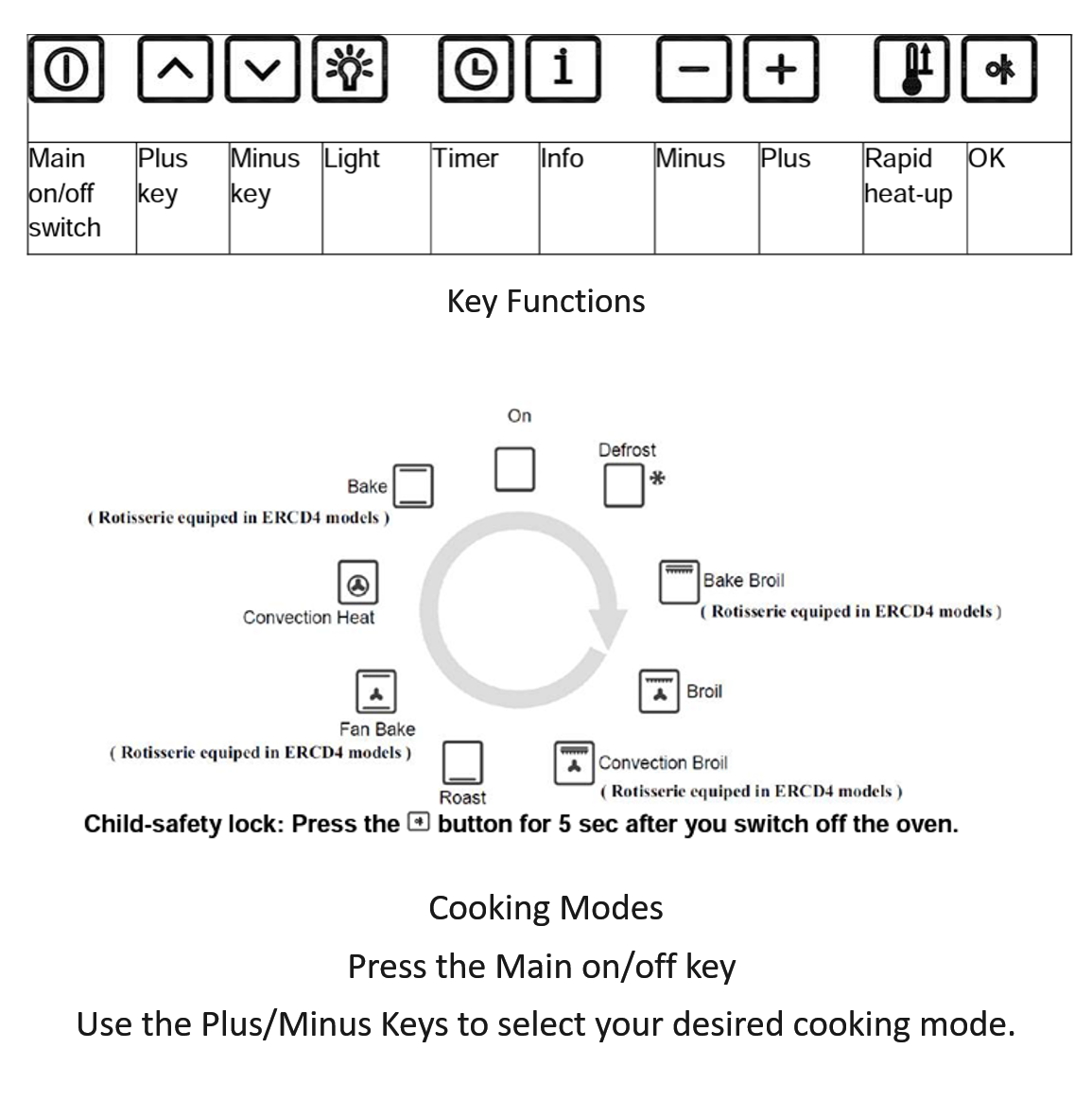
- Press the main on/off key.
- Use the plus and minus keys to select your desired cooking mode.
- Use the plus and minus keys near the temperature symbol to adjust the temperature.
- Press OK to confirm when needed.
Guest Help
Use the main on/off key to wake the oven controls, then use the plus and minus keys to select the cooking mode and adjust settings.
To use the child-safety lock, press the key button for 5 seconds after switching off the oven.
If something does not seem to be working correctly, please contact the host before attempting repairs or resets.
Please keep towels, paper, and other items away from the stovetop and oven while cooking.